
Tailwind CSS Templates for Marketing & SaaS Landing Pages
1 Tailwind website templates and Tailwind themes styled entirely with Tailwind CSS's utility classes — no custom stylesheet to maintain, and every Tailwind landing page template is easy to restyle by editing class names directly in the markup. Use code FIRST30 for 30% off your first download.
All Tailwind CSS templates
Why trust us
What Are Tailwind CSS Templates?
Tailwind CSS is a utility-first CSS framework — instead of writing custom class names and
separate stylesheet rules, you compose a page's design directly in the markup using small,
single-purpose classes like flex, px-6, and text-slate-600.
It's fully documented on the official Tailwind docs. There's no separate CSS file to keep in
sync with your HTML — the styling lives right next to the structure, which makes it obvious
what any given element looks like just by reading its class list.
Our Tailwind templates are plain HTML5 pages styled entirely with Tailwind's utility classes and a small amount of vanilla JavaScript for interactive elements — no build step, no framework runtime, and no component library to learn. Upload the compiled files to any host and the page is live.
These Tailwind website templates and Tailwind themes are built the same way across the catalog, so if you're specifically after a Tailwind landing page template — rather than a full framework integration — this collection of Tailwind CSS templates is built for exactly that.
Why Choose Tailwind CSS Website Templates?
Because every style lives inline as a utility class, customising a Tailwind template rarely means hunting through a separate stylesheet to find the rule that controls a specific element. You see the classes on the element itself, change them directly, and the result is immediate — no specificity conflicts, no cascading side effects on unrelated sections of the page.
Tailwind's utility classes also keep the compiled CSS small: unused classes are stripped out at build time, so the page only ships the styles it actually uses. That keeps load times low without any manual CSS auditing on your part.
How to Start Using Tailwind CSS Templates?
Preview the live demo, buy the template, and download the ZIP — compiled HTML, CSS, and JS, ready to upload. Because there's no build pipeline to run, you can open the files directly in a browser to check the layout before deploying anywhere.
If you want to extend the design beyond editing existing classes — adding new colour tokens or spacing scales — the included Tailwind config reference in the documentation covers how to rebuild the CSS with your own customisations using the Tailwind CLI.
Tailwind CSS Templates for Different Project Types
Our Tailwind collection currently focuses on marketing and SaaS landing pages — the use case where a lightweight, no-build-step template pays off fastest, since there's nothing to configure before you start editing content.
SaaS & Marketing
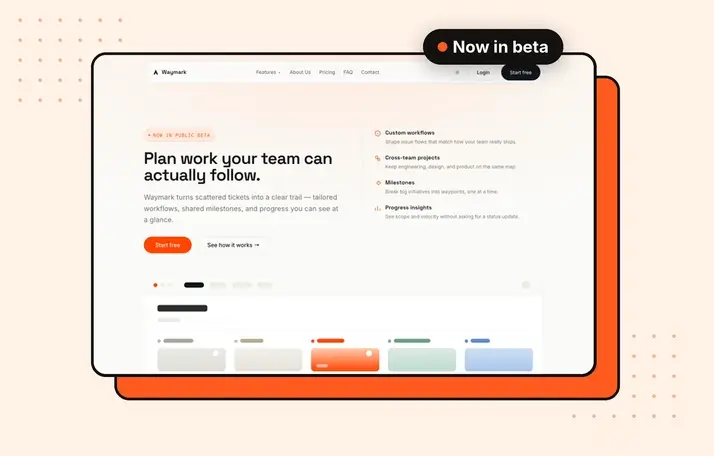
Waymark — pricing, features, and conversion sections for SaaS marketing pages.
Astro + Tailwind
Prefer a build step with content collections and TypeScript? See our Astro templates — also styled with Tailwind CSS.
Every template in this collection uses the same Tailwind CSS foundation; layout and content sections are what differ by project type. Browse the live demo above, or explore the full collection below.
What's Included in Every Tailwind CSS Template?
No build tooling required — here's exactly what's in the download.
HTML Files
Clean HTML5 markup styled with Tailwind utility classes — upload directly to any host.
Compiled CSS
Pre-built, purged Tailwind stylesheet, so pages load only the styles they use.
JavaScript Files
Lightweight vanilla JavaScript for menus, toggles, and other interactive elements.
Images & Assets
Demo images, icons, and placeholder assets, ready right after unzipping.
Documentation
Setup guide covering file structure, class customisation, and rebuilding the CSS.
Free Future Updates
Free updates for as long as the template exists.
Browser & Device Compatibility
Tailwind's compiled output supports all current browsers, and every layout is responsive across desktop, tablet, and mobile screen sizes using Tailwind's breakpoint utilities.
Licence & Usage Rights
All templates can be used for personal and commercial projects. A Single Use license covers one project; a Multi Use license covers up to 10 projects at 5 times the Single Use price. Redistribution or resale of the template files is not permitted.
Key Benefits of Tailwind CSS Templates
No Build Step Required
The CSS ships pre-compiled, so you can edit HTML directly and preview changes in a browser without installing Node.js or running any tooling.
Design Directly in the Markup
Utility classes mean you can see and change an element's styling without switching files — what you see in the HTML is what renders on the page.
Small, Fast-Loading CSS
Unused classes are purged at build time, keeping the final stylesheet small compared to a hand-written CSS file that accumulates unused rules over time.
Easy to Extend
Need a custom colour or spacing value outside Tailwind's defaults? Extend the config and rebuild — no need to restructure existing markup or override cascading rules.
Start Building with Tailwind CSS Templates Today
LettStart Design's Tailwind CSS templates give you a fast, no-build-step path to a polished marketing or SaaS landing page. Preview the live demo, download the files, and have your content live the same day — no framework runtime, no configuration step.
Explore related collections including Astro Templates, Landing Page Templates, and Bootstrap Templates if Tailwind isn't the only stack you're evaluating.
Frequently Asked Questions
A Tailwind CSS template is a pre-built HTML page styled entirely with Tailwind's utility classes instead of a hand-written stylesheet — classes like flex, px-6, and text-slate-600 are applied directly in the markup. Our Tailwind templates are plain HTML5 with a small amount of vanilla JavaScript for interactive elements, so there's no framework runtime or build step required to use them.
No. Each template ships with the compiled CSS and JS already included, so you can open the files in a browser or upload them to any host immediately. A build step is only needed if you want to extend the Tailwind configuration with new colours or spacing values beyond what's already included.
Bootstrap ships a component library with pre-styled classes like .btn and .card; Tailwind gives you low-level utility classes and you compose the design yourself. Both compile to plain HTML and CSS with no framework runtime, but Tailwind templates tend to have smaller, more predictable CSS since unused utility classes are purged at build time.
Yes. Editing an element's existing utility classes changes its appearance immediately with no separate stylesheet to update. For colours or spacing values outside Tailwind's defaults, the included documentation covers extending the Tailwind config and rebuilding the CSS with the Tailwind CLI.
Yes. Every layout uses Tailwind's responsive breakpoint utilities (sm, md, lg, xl), so pages adapt across desktop, tablet, and mobile screen sizes without custom media queries.
Clean HTML5 files styled with Tailwind utility classes, the compiled and purged CSS, lightweight vanilla JavaScript for interactive components, demo images and icons, and setup documentation. Premium templates include free updates for as long as the template exists.
Our current Tailwind CSS collection is premium only. If you want a free starting point while evaluating the stack, browse our free Bootstrap templates instead, which cover similar landing-page layouts.
Each template is sold under a Single Use license covering one project, with a Multi Use license available for up to 10 projects at 5 times the Single Use price. Both personal and commercial use are allowed; redistribution or resale of the template files is not permitted.
Right now Waymark is our one Tailwind landing page template. It's a complete Tailwind CSS theme on its own, not a cut-down demo — more Tailwind themes are planned as the collection grows.
Related categories
Astro templates
Content-focused SaaS and agency pages with Astro's island architecture, also styled with Tailwind.
Landing pages
Startup, SaaS, and agency landing pages across Bootstrap, Angular, React, Astro, and Tailwind.
Bootstrap templates
Admin dashboards, landing pages, and portfolio kits built on Bootstrap 5 with SCSS.
Related guides on the blog
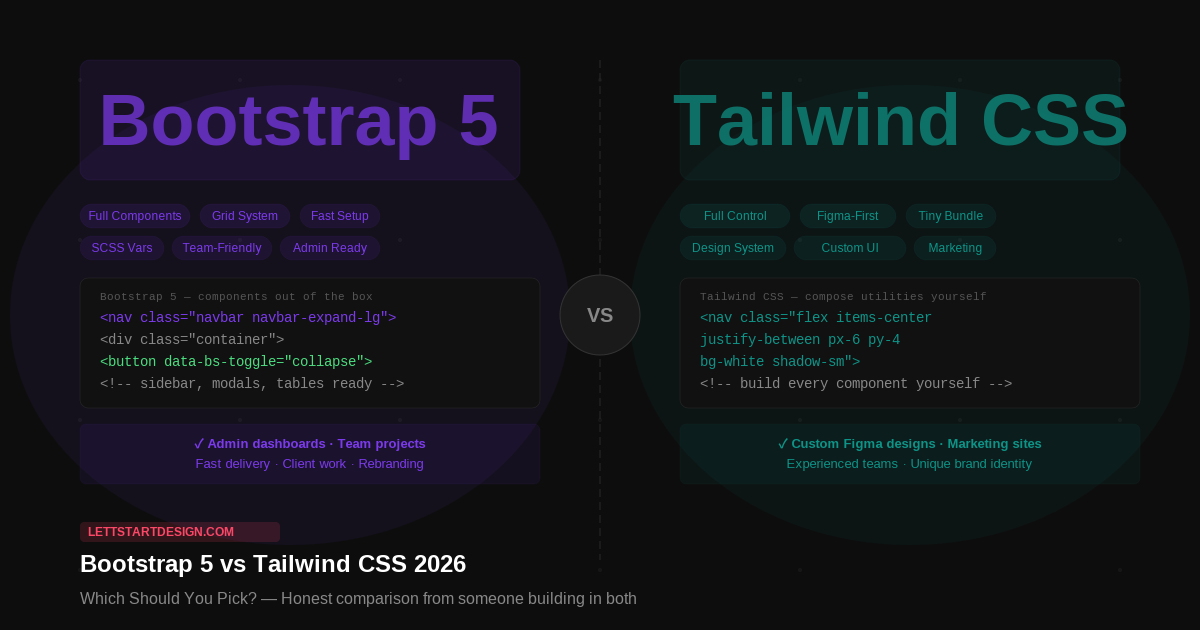
Bootstrap 5 vs Tailwind CSS in 2026 — an honest comparison from a developer building templates in Bootstrap since v3 and with a Tailwind template coming. Neither framework wins unconditionally.
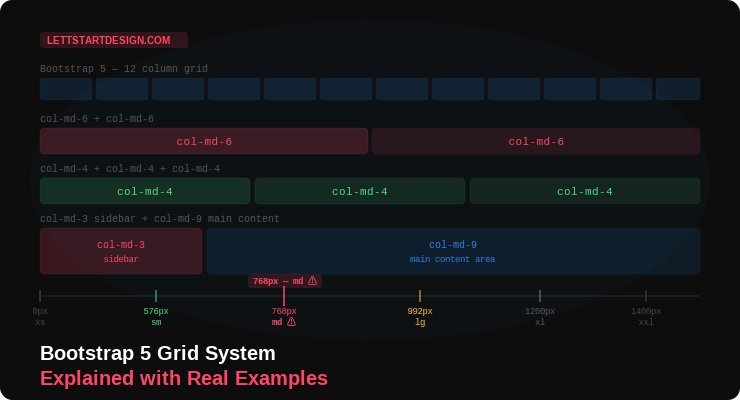
How Bootstrap 5's 12-column grid actually works — with real layout examples from admin dashboard development and an honest look at the breakpoint that breaks most templates in production.
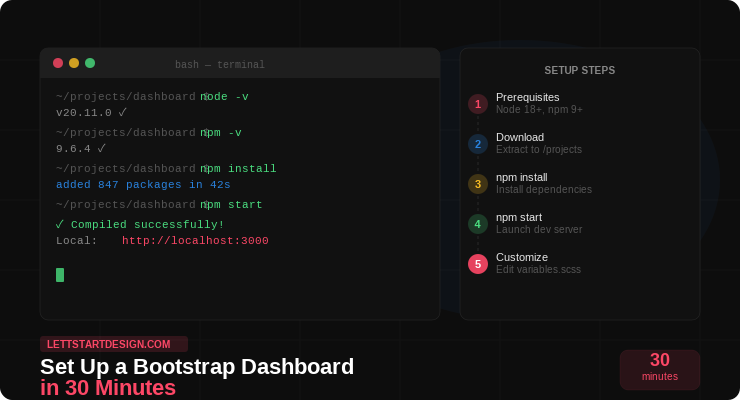
The step-by-step guide to setting up a Bootstrap 5 admin dashboard template — including the prerequisites mistake that trips most developers up and how to fix the most common errors fast.
Use code FIRST30 at checkout — valid across every Bootstrap, Angular, React, Astro,
and Tailwind template.