
Angular Templates for SaaS, Admin Dashboards & Landing Pages
8 templates spanning Angular 14 to Angular 22 — covering SaaS platforms, admin dashboards, and landing pages, every template ships with TypeScript, reusable components, and SEO-friendly markup. Use code FIRST30 for 30% off your first download.
All Angular templates
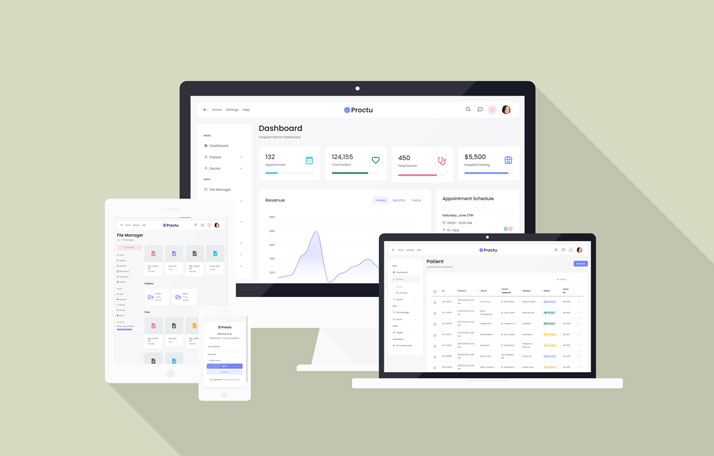
Proctu – Hospital & Medical Angular Admin Template
Proctu is a Bootstrap and Angular 22 admin dashboard panel built for patient and hospital dashboards, doctor medical admin panels, and general healthcare Angular applications today.
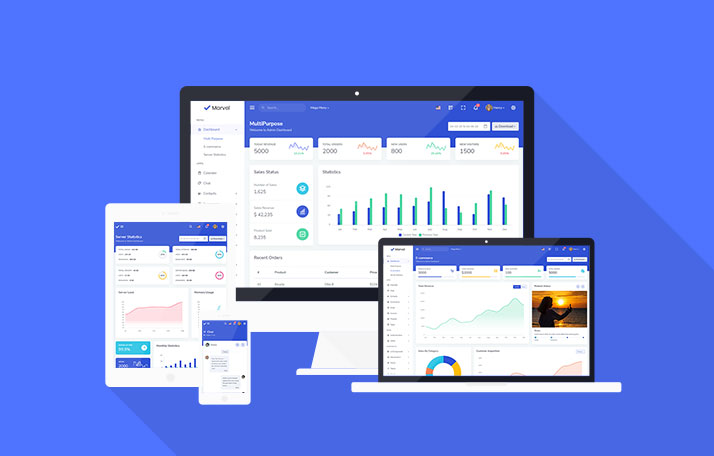
Marvel – Angular Admin Dashboard Template for SaaS & CRM
Marvel is an Angular 21 admin dashboard template with 120+ pages, 350+ components, and prebuilt Kanban, invoice, and eCommerce UI, built for SaaS, CRM, and analytics platforms alike.
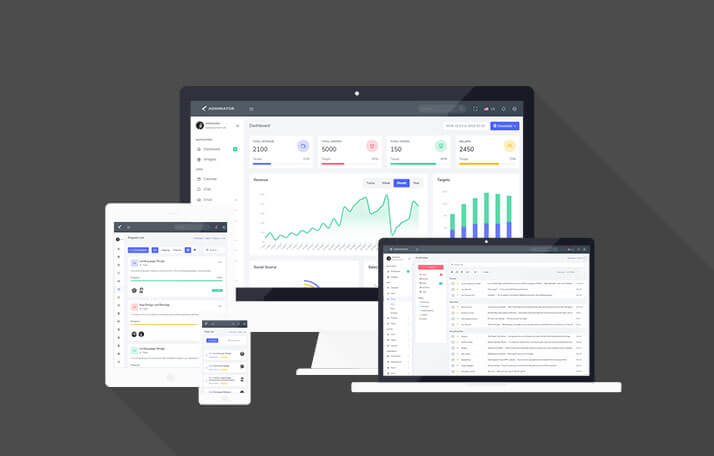
Adminox – Angular 22 Admin Dashboard with 70+ Components
Adminox is a modern Angular 22 admin dashboard starter with 40+ pages, 6 layouts, 3 chart libraries, JWT auth, and NgRx Signals, ready for SaaS, CRM, and analytics projects from day one.
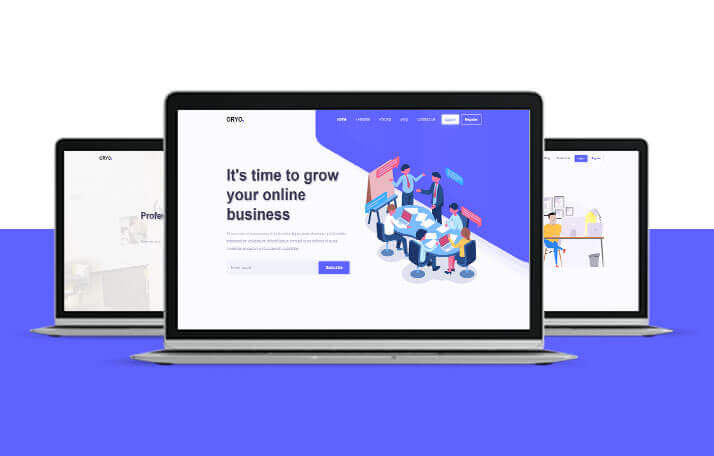
ORYO – Angular Templates for SaaS, Agencies & Startups
ORYO is a modern Angular 20 template collection built with TypeScript and SCSS, offering responsive landing pages and portfolio layouts for startups, SaaS teams, agencies, and freelancers.
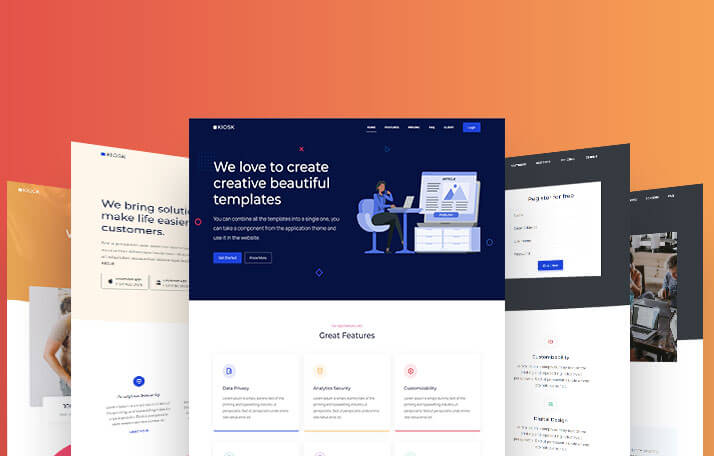
Kiosk – Angular Landing Page Template for SaaS & Agencies
Kiosk is a multipurpose Angular 20 template collection built with Bootstrap 5.3, SCSS, and TypeScript, offering 10+ page variants for startups, SaaS companies, agencies, and portfolios.
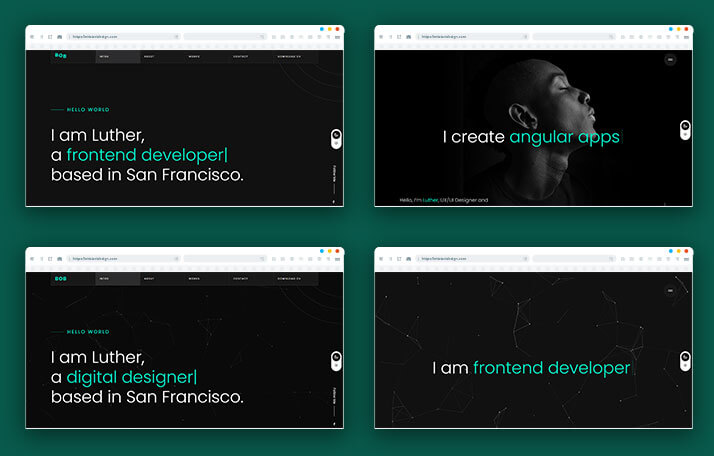
BOB – Angular Portfolio & Resume Website Template
BOB is a creative Angular portfolio and resume website template built for online resumes, simple portfolios, CV websites, and personal branding pages within the Angular ecosystem today.
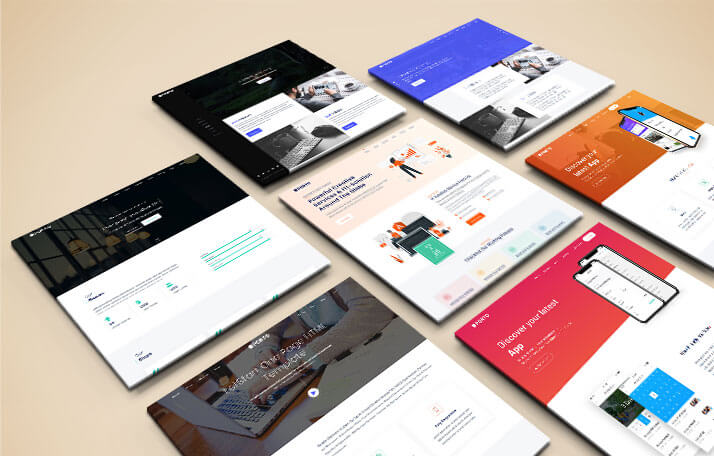
PORTO – Angular 14 Website & App Landing Page Template
PORTO is an elegant, modern, multipurpose Angular 14 website template built for app landing pages, startups, portfolios, SaaS products, digital agencies, and single-page sites today.
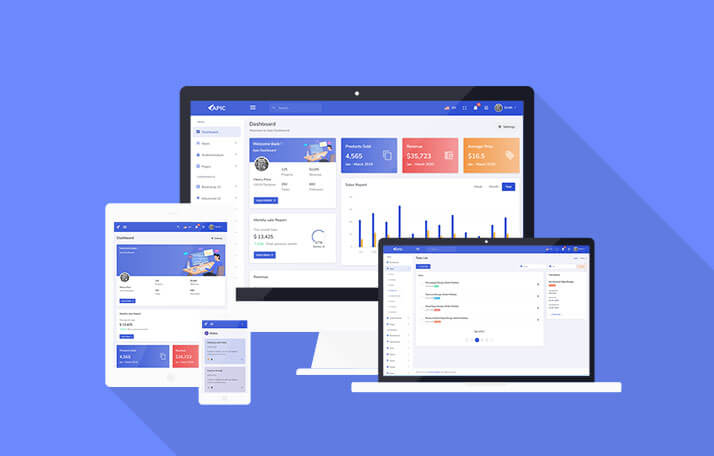
APIC – Angular 22 Admin Dashboard Template for SaaS & CRM
APIC is a multipurpose, creative, and modular Angular 22 admin dashboard template, ideal for sales and analytics dashboards, management panels, and SaaS-based admin interfaces overall.
Angular Admin Templates and Dashboard Templates Compared
Looking to buy an Angular admin template or an Angular dashboard template? This page lists every premium Angular template we sell, with the Angular version, what is inside and the price, so you can pick one without opening eight demos. Each template is a complete front end written in TypeScript with Bootstrap 5.3 and SCSS: layouts, UI components and sample pages are already wired together, so you connect your own API and change the design instead of building the shell from scratch.
| Template | What is inside | Angular | Single Use |
|---|---|---|---|
| Adminox | Admin dashboard: 40+ pages, 6 layouts, 3 chart libraries, JWT auth, NgRx Signals, 70+ components | 22 | $20 |
| Marvel | Admin dashboard: 120+ pages, 350+ components, Kanban, invoice, eCommerce UI | 21 | $20 |
| APIC | Sales and analytics panel: 80+ pages, 9+ dashboards, Light, Dark and RTL | 22 | $16 |
| Proctu | Medical and hospital admin panel: 40+ pages, 25+ components | 22 | $16 |
| Kiosk | Multipurpose landing and portfolio: 10+ page variants | 20 | $12 |
| ORYO | SaaS and agency landing pages, portfolio layouts: 6+ home variants | 20 | $8 |
| BOB | Portfolio and resume: 6+ homepage designs | 22 | $8 |
| PORTO | Multipurpose website: 15+ homepages (legacy) | 14 | $16 |
Which Angular Template to Buy for Your Project
The right template depends on what you are building, not on which demo looks best. Here is how we would choose.
- SaaS and CRM dashboards: start with Adminox for a lean Angular 22 base with JWT authentication and NgRx Signals, or Marvel if you want the largest feature set: 350+ components, Kanban, invoicing and eCommerce screens.
- Sales and analytics panels: APIC ships 9+ dashboards with Light, Dark and RTL modes, which suits reporting-heavy products.
- Healthcare and hospital software: Proctu is a medical admin panel built on Angular 22.
- Startup, agency and multipurpose sites: Kiosk, ORYO or PORTO cover landing pages, portfolio layouts and company sites.
- Portfolio and resume: BOB gives you 6+ homepage designs for a developer or designer portfolio.
You can also browse by type: admin dashboard templates, landing page templates and portfolio and resume templates.
Which Angular Version Should You Choose?
The version in the table is the one each template was built on. For a new project, choose the newest version your team can run: Adminox, APIC, Proctu and BOB use Angular 22, Marvel uses Angular 21, and Kiosk and ORYO use Angular 20. PORTO is built on Angular 14 and is best used only when an existing project is already on that version.
If your project is on an older Angular release, upgrade one major version at a time with the official Angular update guide at angular.dev, and use the template's source code as a reference for structure and styling. Every template page lists its exact version, so you always know what you are downloading.
What You Get With Every Angular Template
- The full source code as a ZIP file, available from your account after checkout.
- TypeScript with Bootstrap 5.3 and SCSS, with variables for colors and spacing so you can rebrand without editing every component.
- Documentation with setup steps, bundled with every premium download.
- 1 year of support included with premium templates.
- Lifetime updates to the template you bought.
- A live demo you can open before buying.
To run a template, extract the ZIP, run npm install, then ng serve and
open localhost:4200. The documentation lists the Node.js and Angular CLI versions
that template needs.
Why Choose Angular for an Admin Dashboard?
Admin panels grow. A dashboard that starts with five screens often ends with fifty, edited by several developers over several years. Angular suits that kind of project because it gives the whole team one agreed structure: components for the interface, services and dependency injection for shared logic, typed reactive forms for the many input screens an admin panel needs, and a router with lazy loading for splitting a large application into sections.
TypeScript catches many mistakes before they reach users, and Angular's regular release schedule makes upgrades predictable. That is why Angular is a common choice for SaaS back offices, CRM and analytics products, healthcare software and internal enterprise tools. If your project is small, or you want the lightest possible setup, a Bootstrap template is the simpler choice, and if your team already works in React, see our React and Next.js templates.
Features to Look for in an Angular Admin Template
Most Angular admin templates look similar in a demo, so check what is behind the screens before you buy. These are the points that save the most development time:
- Page and component count. More ready-made pages (tables, forms, calendars, invoices, chat, Kanban) means fewer screens to build yourself. Our table lists the numbers for each template.
- Multiple dashboards and layouts. Several sidebar and header layouts let you match the template to your product instead of adapting your product to the template.
- Charts and data tables. Analytics and back-office products need both. Adminox includes 3 chart libraries; APIC is built around analytics dashboards.
- Dark mode and RTL. APIC ships Light, Dark and RTL modes, which matters if you serve Arabic or Hebrew speaking users.
- Authentication screens. Login and registration pages save time even if you replace the logic. Adminox includes JWT authentication.
- State management. Adminox uses NgRx Signals, the current approach for Angular applications that share state between screens.
- Documentation and updates. A template without setup notes or updates ages quickly. Every premium download here includes documentation and lifetime updates.
Angular vs React vs Bootstrap Templates
We sell all three, so the honest answer is that the best choice depends on your team and your project.
- Choose Angular when you are building a large application with several developers, many forms and a long lifespan. The framework gives you structure out of the box.
- Choose React or Next.js when your team already works in React, or you need server-rendered pages. Browse the React and Next.js templates.
- Choose Bootstrap when you want plain HTML, CSS and JavaScript with no framework to learn. Browse the Bootstrap templates.
Many of our templates exist in more than one framework, so if you are undecided you can look at the same design in Angular and in Bootstrap before you buy.
How to Customize an Angular Template
- Extract the ZIP and run
npm installto install the dependencies. - Start the development server with
ng serveand open the app atlocalhost:4200. - Change colors, fonts and spacing in the SCSS variables so the template matches your brand.
- Remove the pages and menu items you do not need from the routes and the sidebar.
- Replace the sample data with calls to your own API, using Angular services.
- Build for production with
ng buildand deploy the output folder to your host.
The documentation included with each template covers these steps for that specific version.
How to Choose the Right Angular Template
Work through these questions in order and you will usually be down to one or two templates:
- What are you building? A dashboard, a landing page or a portfolio. This narrows the list by type.
- Which Angular version does your team run? Match the version in the table, or pick the newest.
- How many screens do you need? If you need many, choose a template with a high page count and remove what you do not use.
- One project or several? Single Use covers one project, Multi Use covers up to 10.
- Have you seen the demo? Open the live demo and click through the pages you will actually use before you buy.
Still not sure? Contact us with your project details and we will point you to the closest match.
Licenses and Pricing
Angular templates start from $8. Each template is sold under one of two licenses:
- Single Use covers one end project, for yourself or for one client.
- Multi Use covers up to 10 projects, at 5 times the Single Use price.
Both licenses include lifetime template updates and 1 year of support. Our free templates are built with Bootstrap and come with a commercial license, but we do not have a free Angular template at the moment. See the free templates for what is available.
Frequently Asked Questions
Our Angular templates range from Angular 14 to Angular 22. Each template page lists its exact Angular version, so check it before you buy to match your project.
You get the full source code as a ZIP, with the pages and components shown in the live demo, Bootstrap 5.3 with SCSS, documentation, 1 year of support and lifetime updates.
Download the source ZIP and extract it. Run npm install, then ng serve to start the dev server at localhost:4200. The documentation included with each download lists the Node.js and Angular CLI versions that template needs.
Single Use covers one end project. Multi Use covers up to 10 projects at 5 times the Single Use price. Both include lifetime template updates and 1 year of support.
Not at the moment. Our Angular templates are premium. Our free templates are built with Bootstrap and come with a commercial license.
Lifetime updates give you each new release of the template you bought. To move your own project to a newer Angular version, follow the official Angular update guide at angular.dev, one major version at a time.
Related categories
Use code FIRST30 at checkout — valid across every Bootstrap, Angular, and React
template.