
Atlas – Next.js E-commerce Admin Dashboard Template
Atlas is a Next.js admin template and Next.js ecommerce admin dashboard built with shadcn/ui on Base UI, covering products, orders, shipments and customers, launch-ready with no backend needed.
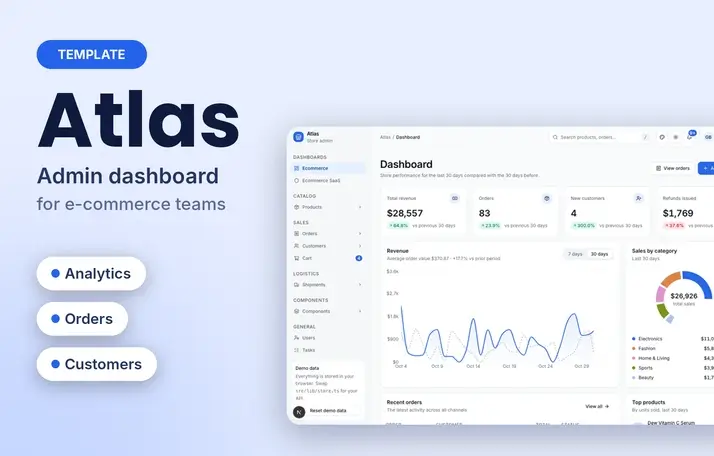
See every module before you buy
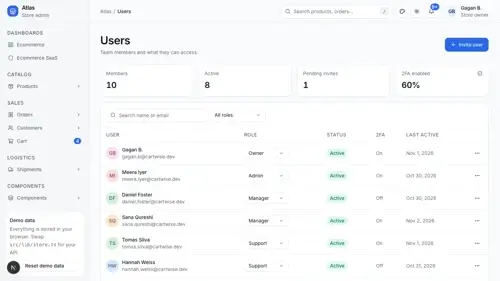
Each screenshot opens the full Atlas – Next.js E-commerce Admin Dashboard Template live preview, where you can browse the live preview and documentation.









Overview
About Atlas (Next.js)
Online stores need an operations layer that's every bit as capable as the storefront itself — something to manage products, track orders from placement to fulfillment, keep tabs on customers, and coordinate shipments without juggling spreadsheets or a half-built internal tool. Atlas — Next.js E-commerce Admin Dashboard Template delivers that as a production-style admin built with Next.js 16's App Router, React 19, Tailwind CSS v4 and shadcn/ui on Base UI (not Radix), ships launch-ready, so it runs instantly without a backend from the moment it's unpacked.
Atlas covers dashboards, products, orders, customers, shipments, tasks, users, settings and authentication as real, working screens rather than demo-only mockups, alongside a full set of component documentation pages that double as a living style guide. Because Atlas ships launch-ready, every detail page — a specific order, product, customer or shipment — is addressed through a query parameter rather than a dynamic server route, so the whole application can be hosted on any web server or CDN with zero server setup and nothing to maintain on the server.
Atlas ships its dashboard in two variants: a default view oriented around day-to-day store operations, and a SaaS-styled variant that presents the same metrics with a more software-product feel, for teams adapting the template as an internal tool rather than a store's own admin panel.
Why Choose Atlas for Next.js Projects
Atlas is built on the actual shadcn/ui registry components — the Base UI variant specifically, not Radix — styled with plain Tailwind utilities rather than a separate theme layer, so the component code visible in the project is the component code that ships to production. Extending the template with a new primitive is as simple as running npx shadcn@latest add, since nothing about Atlas's styling approach fights the standard shadcn workflow.
State management uses Zustand persisted to localStorage, with TanStack React Query layered over the store as hooks — useOrders(), useCart(), and similar — so components read and mutate data through a consistent API regardless of where that data ultimately comes from. Every mutation routes through a dedicated actions hook per domain, and Zod validates each form before it submits. Swapping the mock data layer for a real API means replacing the data-loading logic behind these hooks, not rewriting the screens that consume them.
Built to Be Extended, Not Just Demoed
A lot of admin dashboard templates look complete in a screenshot and fall apart the moment a real team tries to add a feature to them: state lives in random component-local hooks, forms validate inconsistently from screen to screen, and the mock data is wired directly into the JSX with no separation from the UI that displays it. Atlas avoids all three problems deliberately. Every domain — products, orders, customers, shipments, tasks, users — gets its own Zustand store, its own React Query hooks, and its own Zod schema, so adding a new field to an order or a new status to a shipment means touching the schema and the store once, not hunting through a dozen components for every place that field is read or written.
The mock data layer itself is realistic rather than token: products carry real variant and inventory shapes, orders carry a full line-item and fulfillment-status history, and customers carry order history and lifetime-value fields an actual insights screen would need. That realism matters when a team is evaluating whether Atlas's data shapes are close enough to their own backend's to adopt directly, or whether the hooks need adjusting — either way, the evaluation takes minutes instead of requiring a team to build out realistic fixtures themselves first.
Key Features of Atlas (Next.js)
Ecommerce Dashboard with Two Variants
A default operations-focused dashboard and a SaaS-styled alternative both summarize orders, revenue and stock alerts, giving teams a choice of tone depending on how Atlas is being used.
Complete Store Operations Workflow
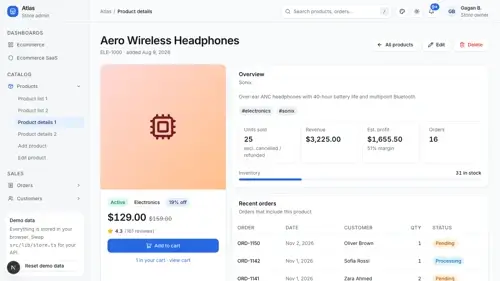
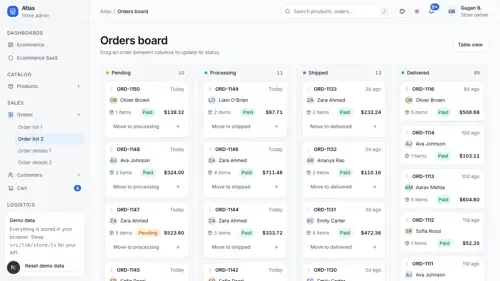
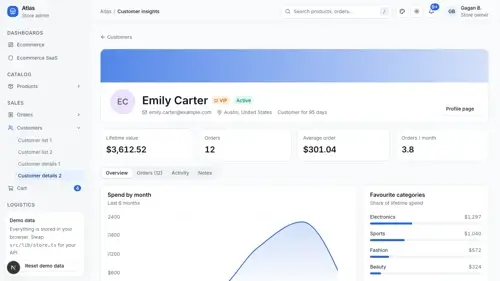
Products (list, grid, gallery, create and edit), orders (list, Kanban board, invoice view), customers (list, grid, detail with insights), and shipments (list, create, edit) are all implemented as fully working screens backed by the mock data layer.
69 Component Documentation Pages on Base UI
Select, Dialog, Dropdown, Tabs, Switch and dozens of other interactive primitives use shadcn/ui's Base UI variant instead of Radix, and every one has its own reference page showing its props and variants — so the template doubles as a component library teams can keep referring back to long after the initial build.
Launch-Ready, No Backend Required
The entire application builds into a ready-to-upload out/ directory. It can be previewed, demoed and deployed on any web host or CDN, with the mock data layer standing in until a real API is wired up behind the existing hooks.
Team, Tasks and Settings Screens
Beyond the core storefront operations, Atlas also includes task tracking, a user management screen for admin accounts, and a settings area for store-level configuration, rounding out the back office with the internal-tooling screens a real operations team ends up needing alongside products and orders.
Consistent Loading, Empty and Error States
Every list and detail screen uses the same skeleton loading pattern, the same empty-state illustration pattern, and the same error-boundary fallback, built from shadcn's Empty and Skeleton primitives rather than each screen inventing its own. That consistency matters once a real API is behind the screens: a slow network or a failed request produces a familiar, on-brand state everywhere in the dashboard instead of a jarring blank screen on just the one page nobody remembered to handle.
Smart Image Loader for Any Hosting Path
Because a launch-ready build has no image optimization server behind it, Atlas ships a small custom imageLoader.ts that resolves image URLs relative to the configured base path at build time instead, so product photos, avatars and icons all resolve correctly whether the export is served from the site root or from a themed subdirectory.
Auth and Error States Included
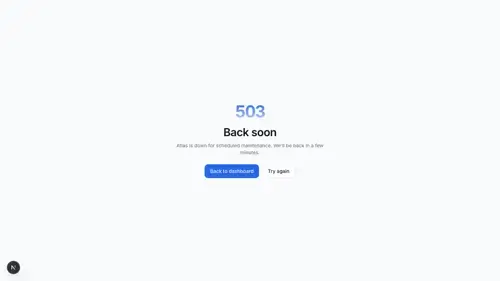
Sign-in, sign-up, forgot-password, and 403/404/500/maintenance pages round out the template so it feels production-ready rather than stopping at the core dashboard screens.
Recharts-based Analytics Everywhere
Revenue trends, order volume, stock-level warnings and customer insight widgets are all charted with Recharts rather than a bespoke canvas drawing layer, so swapping in real analytics data later is a matter of pointing the same chart components at a live data source instead of rebuilding the visualization layer from scratch.
Mobile-Responsive Admin Shell
The sidebar, data tables and detail views all collapse sensibly down to phone-width viewports, so store staff checking an order or a shipment from a phone on the warehouse floor get a usable layout rather than a desktop-only dashboard squeezed into a small screen.
How Atlas Is Put Together
The project keeps a strict boundary between components/ui (the shadcn primitives themselves), the feature-level components that compose them into real screens, and the Zustand stores plus React Query hooks that supply their data. That separation means a developer extending Atlas with a new report or a new order status can usually add a hook and a screen without touching the primitive component layer at all, and a developer restyling the primitive layer doesn't risk breaking the business logic layered on top of it.
Because the custom image loader and the launch-ready build both assume a configurable base path, Atlas can be deployed under a subdirectory of a larger site — exactly the setup used for its own live preview — without any of the internal links or asset references breaking. The same liveAppUrl constant that controls the base path in development and production is the single place to change when moving the build to a different host or subdirectory.
Who Should Use Atlas (Next.js)
Atlas is built for teams running an e-commerce product on Next.js who want a ready-made back office rather than building admin screens from scratch. It's a strong fit for anyone standardizing on shadcn/ui's Base UI variant, and for teams that want the flexibility and low hosting cost of a launch-ready, backend-free build without giving up a modern, well-structured component architecture. It also suits agencies that build internal tools for e-commerce clients repeatedly, since starting from Atlas's already-wired data layer cuts the time spent re-solving the same products/orders/customers/shipments problem on every engagement.
Comparing it against other admin dashboard templates tends to be quicker than usual, too: the 69-page component library documents exactly which primitives are available and how they're themed, instead of leaving that discovery to trial and error inside the screens themselves, and the conventional e-commerce terminology throughout means onboarding a new hire rarely requires explaining what a field or status means beyond what its label already says. A sibling version built with Astro and no React runtime covers the identical page set for teams that would rather skip the framework.
It's worth being specific about the category Atlas actually competes in. It isn't a Next.js landing page template or a Next.js portfolio template built to sell, and it isn't a Next.js AI template dressed up as something else — it's a dedicated Next.js dashboard template, specifically a Next.js e-commerce template and Next.js admin template, built to run a store day to day. That's a narrower promise than most general-purpose Next.js website templates make, but it's exactly the gap most roundups of the best Next.js templates leave for a team to fill in on their own.
Conclusion
Atlas brings a complete, launch-ready e-commerce admin dashboard to Next.js projects — dashboards, inventory, fulfillment and customer insight, backed by shadcn/ui's Base UI components and ready to connect to a real API whenever the team is.
Atlas is part of LettStart Design's Next.js templates, Nextjs templates, Next.js Tailwind templates and Next.js shadcn template collection. It also belongs in the Tailwind dashboard template, admin dashboard template, admin panel template, dashboard UI template and admin dashboards categories, so you can compare it with similar templates in the same range.
Related templates
The modules, laid out like the product itself
All 10 highlights, grouped the way they appear in Atlas – Next.js E-commerce Admin Dashboard Template's own sidebar.
Ecommerce Dashboard with 2 Variants (Default + SaaS)
Products, Orders, Customers, Shipments Management
Kanban-style Order Board
shadcn/ui on Base UI (No Radix)
Zustand + TanStack React Query State Layer
Zod Form Validation
Launch-Ready Build (No Backend Needed)
69 Component Documentation Pages
Task, User and Settings Screens
Auth and Error Pages Included
What buyers are saying
No reviews yet — be the first to share your experience.
Before you get started
Atlas is a Next.js admin template and Next.js dashboard template for online stores, built with React 19, Tailwind CSS v4 and shadcn/ui on Base UI, ready to launch out of the box rather than a general Next.js website template adapted after the fact.
No. Atlas ships launch-ready with a mock JSON data layer and a Zustand store; connecting a real API means swapping the data layer behind the existing hooks.
No. Atlas uses shadcn/ui's Base UI variant instead of Radix for its interactive components such as Select, Dialog and Tabs.
Atlas covers dashboards (2 variants), products, orders, customers, shipments, tasks, users and settings, plus 69 component documentation pages.
Yes, Atlas is also available as an Astro-based build with no React runtime, covering the same products, orders, customers and shipments workflow.
Yes. Atlas is purpose-built as a Next.js ecommerce admin template and ecommerce admin dashboard template, with an order management dashboard, inventory management screens, and a React ecommerce dashboard UI covering the full product-to-fulfillment workflow.
Atlas belongs to LettStart Design's Next.js templates, Nextjs templates, Next.js Tailwind templates and Next.js shadcn template collection and is also suited to Tailwind dashboard template, admin dashboard template, admin panel template, dashboard UI template and admin dashboards use cases.
Change log
- Initial release
- Next.js 16 App Router, React 19
- shadcn/ui on Base UI
- Ecommerce dashboard with 2 variants, launch-ready build
Related templates
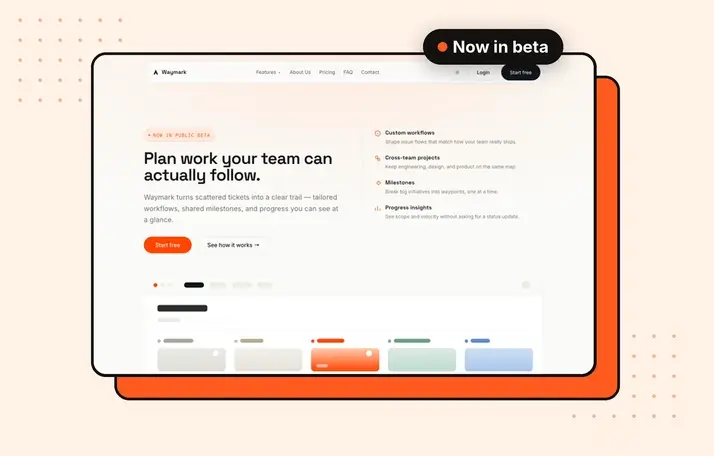
Waymark – Next.js Website Template for SaaS Marketing
Waymark is a Next.js landing page template and Next.js SaaS template for workflow SaaS products, built with shadcn/ui on Base UI and Tailwind CSS 4, launch-ready for Apache or any web host. Part of our Next.js templates range.
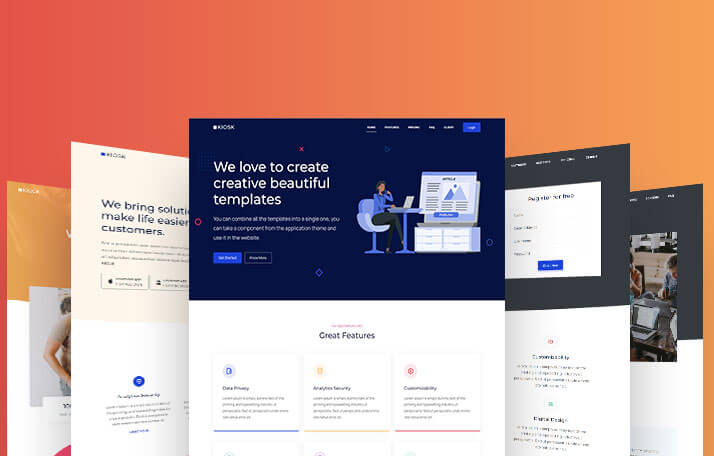
Kiosk – React & Next.js Landing Page Template
Kiosk is a Next.js landing page template and React template with portfolio and SaaS layouts, built on Next.js 15, React 19, responsive and SEO-ready. Part of our Next.js templates range.

PORTO – React Next.js Website & App Landing Page Template
PORTO is a multipurpose React Next.js website template for app landing pages, startups, portfolios, SaaS products and agencies. Part of our Next.js templates range.
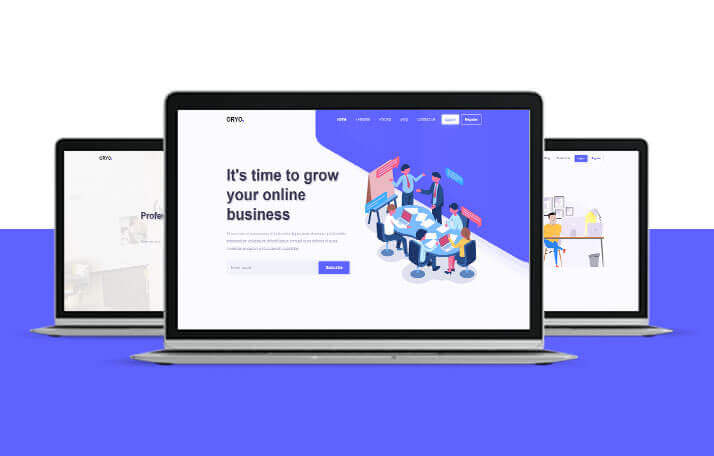
ORYO – React & Next.js Templates for SaaS & Startups
ORYO is a React and Next.js template collection for SaaS products, startups and apps, with responsive, SEO-friendly landing pages. Part of our Nextjs templates range.

Rekto – React Next.js Landing Page Template for Digital Agencies
Rekto is a modern React Next.js landing page template for digital agencies, consultancies and IT services, with a clean single-page design. Part of our Next.js templates range.

ECOM – Next.js Website Template for E-Commerce Stores
ECOM is a React Next.js e-commerce website template with product listings, cart and checkout flow for launching an online store. Part of our Next.js templates and Nextjs templates range.
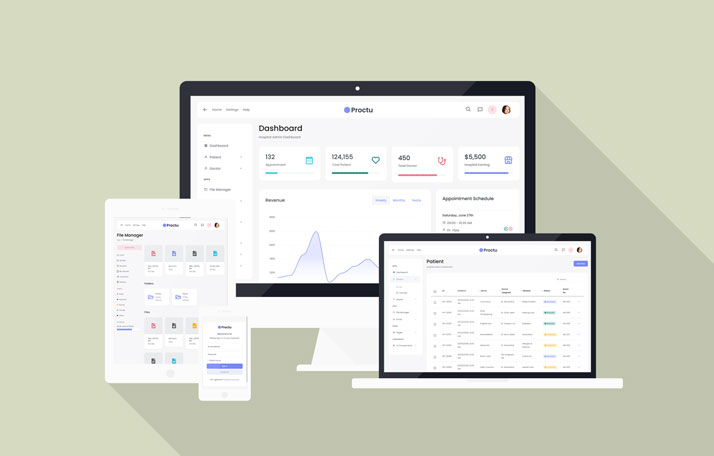
Proctu – Hospital Admin Dashboard Template, Next.js & React
Proctu is a React Next.js admin template for hospital management, patient dashboards, doctor panels and healthcare dashboard applications. Part of our Next.js templates and admin dashboard template range.
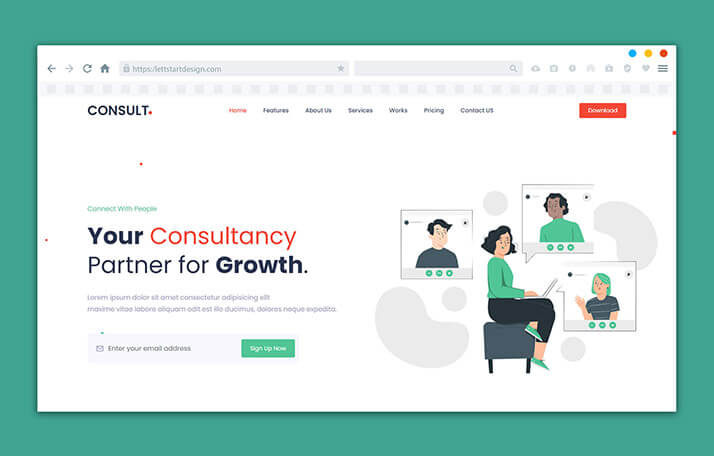
Consult – Next.js Landing Page Template for Consultancy & Agency
Consult is a responsive Next.js landing page template for agencies, consultancies, IT services and consulting firms. Part of our Next.js templates range.
Use code FIRST30 at checkout — valid across every Bootstrap, Angular, React, Astro,
and Tailwind template.