
Adminox – Angular 22 Admin Dashboard with 70+ Components
Adminox is a modern Angular 22 admin dashboard starter with 40+ pages, 6 layouts, 3 chart libraries, a demo JWT login flow, and a front-end-only setup, ready to connect to your own API for SaaS, CRM, and analytics projects.
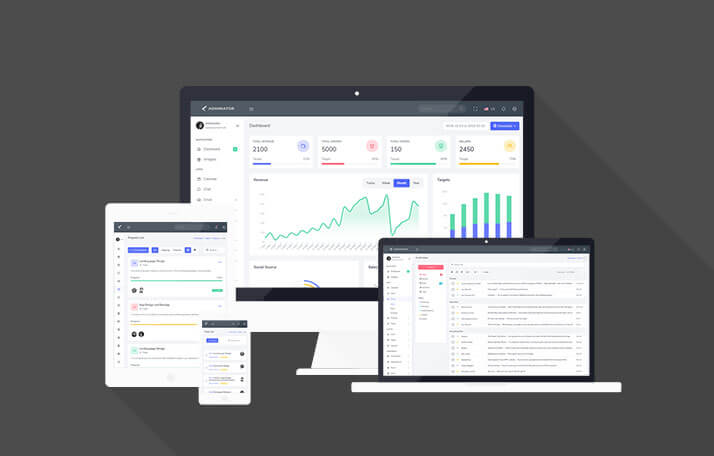
See every module before you buy
Each screenshot opens the full Adminox – Angular 22 Admin Dashboard with 70+ Components live preview, where you can browse the live preview and documentation. The layout demos (Default, Horizontal, Dark, Light, Mini, Scrollable) all open the same live demo; switch layouts there from the theme customiser.






Overview
About Adminox
Adminox is a high-end Angular 22 admin dashboard template designed for developers who want to create production-ready backend interfaces without having to begin from scratch. If you are developing a SaaS control panel, an enterprise management system, an analytics dashboard or a CRM, Adminox provides you with all the screens, all the components, and all the workflows already designed, coded, and ready to use with Angular — enabling your team to concentrate on the business logic rather than having to rebuild the user interface from scratch.
Adminox is based on the most recent stable version of Angular 22, featuring fully standalone components and lazy-loaded routes; it is not merely a set of styled HTML pages located behind a login screen, but a working Angular front-end with routing, a demo authentication flow, chart integrations, and form logic — all the essential elements of a modern admin interface, provided as working code from the very beginning. Adminox is a front-end template: it ships without a backend, and all data you see in the demo is sample data that you replace with your own API.
A pure Bootstrap version of this template is also available—there is no need for a framework, making it ideal for non-Angular projects that want to use the same design system without having to rely on Angular.
Why Choose Adminox
The market for admin templates is highly competitive, but the majority of the available options fall into one of two pitfalls: some are stunningly designed static mockups that have absolutely no Angular integration, while others consist of out-of-date Angular codebases which still use AngularJS patterns, jQuery, or Bootstrap 3. Adminox avoids both of these pitfalls completely.
Each component is written as a standalone component for modern Angular 22 and requires no NgModule boilerplate to deal with. The routes are lazy-loaded by default, which means that your dashboard loads quickly even if you add more pages. Bootstrap 5.3 is used for the responsive grid and the basic components, and this is supported by a well-structured SCSS architecture that is easy to theme and brand. For state management, Adminox includes one live NgRx Signals v21 demo page (a counter) that shows how to wire a signal store into the template; the rest of the app uses plain Angular services, so you stay free to choose your own state approach.
The end product is a template that resembles a genuine product's starting point — not a design demonstration that you'd have to reverse-engineer before you could launch anything.
Key Features of Adminox
6 Layout Modes, One Runtime Switcher
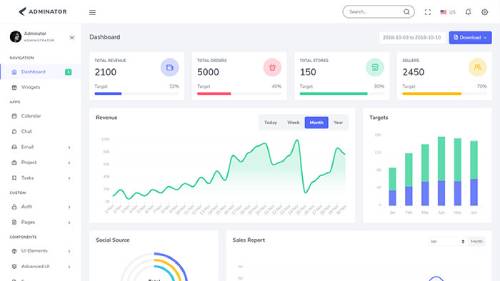
One of the most frequently asked for features in an admin template are flexible layout options. Adminox includes six different layout modes and each of them can be turned on at runtime using the built-in customisation panel—without the need for any code changes or a rebuild: Vertical (Default) with classic left-side navigation, Horizontal Top Nav for flatter information hierarchies, Dark Sidebar for developer-oriented tools and monitoring dashboards, Light Topbar for customer-facing portals, Condensed Sidebar for screens with a lot of data, and Boxed Width for a more structured, magazine-like appearance.
The same underlying Angular component tree is used by all six layouts; switching between them updates the layout settings and the components respond to the change — there are no page reloads and no redundant API calls.
40+ Pages, Production-Ready
Adminox features over 40 completely ready-made pages, organised throughout all the main sections that a typical admin interface requires. They are not wireframes or placeholder content, but rather working Angular components with proper routing, sample data structures, and realistic UI interactions.
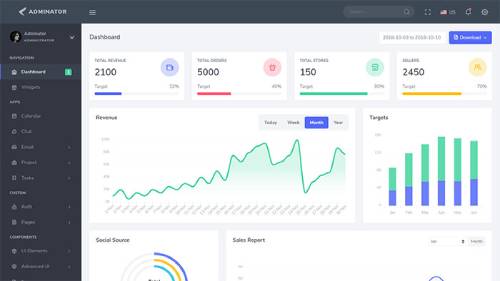
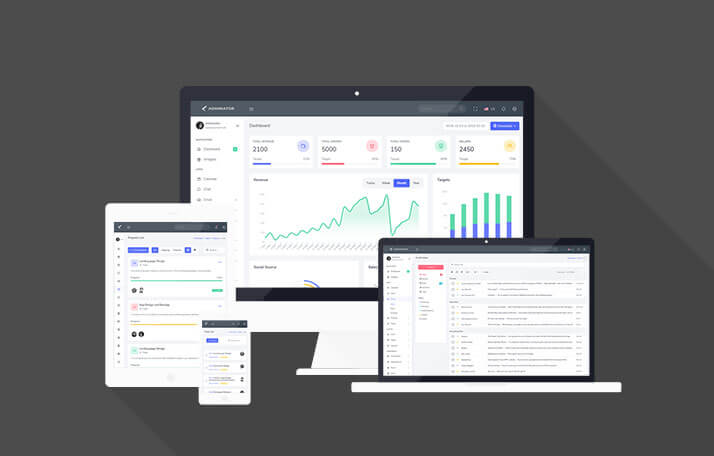
The Dashboard is where you begin: it features a complete analytics page with area charts showing revenue, a bar chart for targets, a sales donut chart, an orders table including pagination, and a date range filter which uses Flatpickr — all of these elements being connected to ApexCharts v5 through ng-apexcharts and populated with sample data. On the Widgets page you have access to a comprehensive collection of reusable stat cards, mini sparklines, progress rings, activity timelines, and status indicators that you can copy directly onto your own pages.
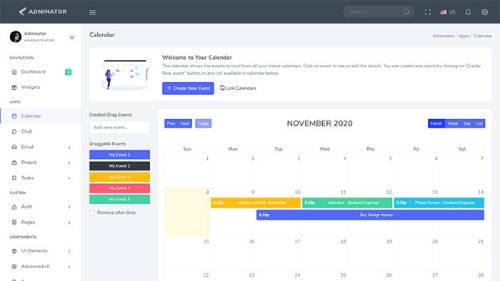
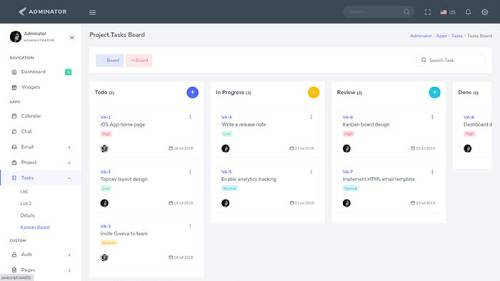
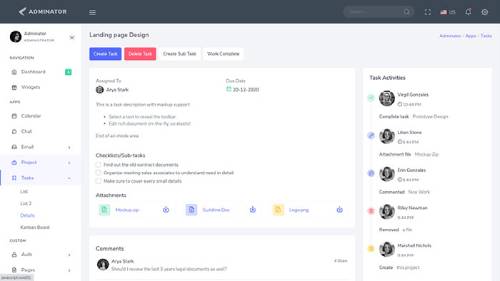
The Apps section includes four fully functional application interfaces. The Calendar features a complete integration with FullCalendar v6, allowing for drag-and-drop creation of events and offering month, week, day, and list views, as well as a modal event editor. The Chat application has a contacts sidebar, a message thread view, indications of when the other person is typing, and a message input area. The Email module consists of three views – Inbox, Read Email, and Compose – the compose view being powered by a CKEditor 5 rich text editor. The Project section presents a project list complete with status badges, member avatars, deadline tracking, and a detailed view that includes an activity timeline and file attachments. The Tasks module provides two list layouts, a detailed task view that includes subtask management and comment threads, and a fully drag-and-drop Kanban Board constructed using SortableJS.
The authentication screens include Login, Sign Up, Reset Password, and Confirm Account pages, all of which use Angular 22 reactive forms with client-side validation, loading states, and a demo JWT login flow. This flow runs against a built-in fake-backend HTTP interceptor that returns mock responses, so the template works for demonstrations and development without a server. It does not provide real user accounts or token verification: before going live you replace the interceptor with calls to your own authentication API. Other pages available are the User Profile, the Activity Feed, the Invoice (which is print-ready and includes line items and tax calculation), the Pricing Table with a monthly/annual toggle option, the Maintenance page featuring a countdown, custom 404 and 500 error pages, a Starter Page for new sections, and a live NgRx Signals Counter demo.
3 Chart Libraries, Hundreds of Chart Types
Data visualization forms the core of any admin dashboard, and Adminox provides not just one but three fully integrated charting libraries so that you can choose the one most suitable for your project—or use all three. The ApexCharts v5 version, available through ng-apexcharts, includes support for line charts, area charts, stacked area charts, bar charts, column charts, mixed charts, bubble charts, scatter charts, pie charts, donut charts, radial bar charts, and gauge charts, together with smooth animations and a neat TypeScript API. Apache ECharts v6 offers more advanced visualization options—such as treemaps, geographic maps, scatter plots, and highly customizable heatmaps—for use in data-intensive applications. Chart.js v4 completes the range with bar charts, line charts, doughnut charts, radar charts, polar area charts, and bubble charts, which are well suited to simpler reporting interfaces.
Each integration of charts comes with sample data, correctly typed models, and actual Angular lifecycle management so that the charts resize properly and are disposed of cleanly when the components are destroyed.
70+ UI Components Across Every Category
The component library in Adminox includes all the UI patterns that you're likely to come across when developing an admin interface. Within the section on UI Elements you find the full range of Bootstrap 5.3 components—alerts, badges, cards, breadcrumbs, dropdowns, modals, tooltips, popovers, progress bars and spinners—all of which are styled consistently and come with live examples. The Buttons page contains variants such as solid, outline, gradient, icon, loading-state and different sizes. For Accordions ng-bootstrap is used with options for single-expand, multi-expand, flush mode and custom styling. Both Pagination and Typeahead autocomplete make use of ng-bootstrap with async search and custom result templates.
The section on the Advanced UI includes the various components which distinguish a simple template from one that is of professional quality. The Alertify.js notifications offer stylish toast messages and confirmation dialogs for success, error, warning, and information states. Nestable Lists allow for the reordering of a hierarchical list by means of drag-and-drop. Range Sliders are provided in both the ngx-slider and noUiSlider configurations, including simple and multi-handle arrangements. The Dragula page shows cross-list drag-and-drop featuring both copy and move options. The Image Gallery combines LightGallery v2 and PhotoSwipe 5, offering lightbox, zoom, full-screen mode, and navigation between thumbnails.
Advanced Forms and Validation
The page on Basic Form Elements includes support for text inputs, selects, checkboxes, radio buttons, file inputs and date/time pickers using integration with Flatpickr. Advanced Forms provides a colour picker through ngx-color-picker, multi-select functionality with ng-select, and masked inputs. The Form Validation page shows how Angular 22 reactive forms validation can be implemented, including the management of touched and dirty states, custom cross-field validators, and the use of Bootstrap for validation feedback styling. The Form Wizard makes use of ng-wizard to create a multi-step form with validation at each step and animated transitions between the steps. The Rich Text Editor page incorporates CKEditor 5 Classic together with its full toolbar, which features image upload, tables and media embed. File Uploads employs ngx-dropzone with a drag-and-drop area, the ability to select multiple files, preview thumbnails and size/type validation. Uploads are handled in the browser only; there is no server-side upload endpoint included.
Icons, Tables, and Developer Experience
The Adminox platform features two icon libraries to meet all your iconography requirements. Feather Icons v4 includes more than 280 clean and consistent SVG icons which are suitable for use in interface actions and navigation. Unicons on the other hand provides a more extensive library consisting of line, solid, and monochrome variants in order to enable more rich visual communication.
For tabular data, Basic Tables displays Bootstrap 5's complete range of table options, including striped, bordered, hover effect, responsive and small tables. Advanced Tables provides a fully custom Angular data table with features such as column sorting, pagination in the style of server-side processing, live search filtering, and the ability to toggle columns—all of these being implemented natively without the need for an external data grid dependency.
Adminox has been designed in accordance with the way experienced Angular developers prefer to work. Its project structure adheres to Angular's recommended conventions by having feature modules grouped according to page domain, a core directory containing services, guards, interceptors and models, a shared directory for reusable UI components and directives, and a layouts directory which clearly separates the shell from the page content. TypeScript 6.0 strict mode is turned on everywhere and Prettier has been set up to ensure consistent formatting. The authentication setup features a JWT interceptor, an auth guard, and a fake-backend interceptor that intercepts HTTP calls and returns mock responses — thus making the whole application fully functional as a demo even without any backend setup. Installation requires just two commands: first run npm install and then ng serve. The detailed documentation includes information on all the integrations, explains the layout system and the available customisation options, and goes through the folder structure so that your team can get up to speed within minutes.
Who Adminox Is Built For
Adminox is designed for Angular teams who are developing admin interfaces and want a solid front-end starting point rather than a temporary prototype; it is suitable for SaaS companies whose product dashboard makes up the whole customer experience, for agencies that are required to deliver client back-office systems within tight deadlines, and for internal tooling teams that need a reliable and well-structured starting point instead of a static design mockup which would require weeks of Angular integration work before it could at all be used. You should be comfortable connecting an Angular front-end to your own backend API.
Who Should Skip Adminox
- You want a full-stack product with a backend, database, and working user accounts out of the box. Adminox is front-end only.
- You are looking for a template with app-wide NgRx Signals state management. Only one demo page uses it; the rest of the app uses plain Angular services.
- You need ready-made server-side logic such as payments, email sending, or file storage. None of this is included.
- You are not building with Angular. Consider the pure Bootstrap version of this template instead.
- You are new to Angular and expect a no-code, drag-and-drop dashboard builder. Adminox is a code template for developers.
What's Not Included
- Backend or API: all data is sample data. You connect your own API.
- Real authentication: login uses a fake-backend interceptor with mock responses. Replace it with your own auth service before launch.
- Live data: charts, tables, and dashboards show static sample data, not live or real-time feeds.
- App-wide state management: NgRx Signals appears in a single counter demo page only.
- Server-side uploads: the file upload and CKEditor image upload pages work in the browser only.
Conclusion
Adminox is flexible and can therefore be used as the front-end basis for many kinds of backend interface—such as SaaS dashboards, analytics platforms, CRM systems, ERP portals, project management tools, e-commerce admin panels, data monitoring interfaces, and internal developer tools. Because of the performance of Angular 22, the responsive grid provided by Bootstrap 5.3, and the wide range of built-in pages and components, you are not limited to just one particular application. When you make a single purchase, you get the entire template along with free updates for as long as the template exists—whenever Angular launches a new major version or Bootstrap releases a significant update, Adminox is updated too in order to remain current, so your investment doesn't expire and your dashboard keeps up with the framework rather than lagging behind it. Give up on rebuilding the same UI components for each project and instead start with Adminox to get things shipped more quickly.
Related templates
The modules, laid out like the product itself
All 14 highlights, grouped the way they appear in Adminox – Angular 22 Admin Dashboard with 70+ Components's own sidebar.
Angular 22 Standalone Components Architecture
40+ Fully Coded Pages, Zero Placeholder Content
70+ Reusable UI Components
6 Layout Modes with Runtime Switcher
3 Chart Libraries — ApexCharts v5, ECharts v6, Chart.js v4
NgRx Signals v21 Demo Page
Demo JWT Login Flow with Fake-Backend Interceptor
Calendar, Chat, Email, Kanban & Project Management Apps
Form Validation, Wizard, Rich Text Editor & File Uploads
Advanced UI — Drag & Drop, Range Sliders, Nestable Lists, Image Gallery
Feather Icons & Unicons Icon Libraries Included
Built on Angular 22 and TypeScript 6.0 Strict Mode
Sortable & Advanced Data Tables with Pagination and Search
No jQuery is Used
What buyers are saying
Great support!! Thank you so much for your help.
I will recommend this admin template. Complete solution for all dashboard.
Before you get started
Adminox is built on Angular 22 with fully standalone components and lazy-loaded routes. It also includes one NgRx Signals v21 demo page; the rest of the app uses plain Angular services.
Adminox includes 40+ fully coded pages and 70+ reusable UI components, all populated with sample data and no placeholder content.
Adminox integrates ApexCharts v5, Apache ECharts v6, and Chart.js v4, giving flexibility across a wide range of chart types.
Adminox includes Login, Sign Up, Reset Password, and Confirm Account pages with a demo JWT login flow powered by a fake-backend interceptor. There is no real backend, so you need to connect your own authentication API before going live.
No. Adminox is a front-end template. All data is sample data, and you connect your own backend API.
Adminox does not include a backend, real authentication, live data feeds, server-side file uploads, or app-wide state management. NgRx Signals is used on a single demo page only.
Yes, Adminox is also available as a pure Bootstrap version for projects that do not use Angular.
Installation takes two commands: npm install, then ng serve. Detailed documentation walks through the folder structure and every integration.
Yes, one purchase covers the full template with free updates for as long as the template exists, including new Angular and Bootstrap releases.
Change log
- Upgraded to Bootstrap 5.3.8 and NG Bootstrap 21
- Angular 22
- Added NGRX Demo Page
- Bug Fixes
- UI Changes
- Upgraded to Bootstrap 5.3 and NG Bootstrap 14
- Angular 15
- Bug Fixes
- UI Changes
Adminox – Angular 22 Admin Dashboard with 70+ Components in other frameworks
Related templates
Marvel – Angular Admin Dashboard Template for SaaS & CRM
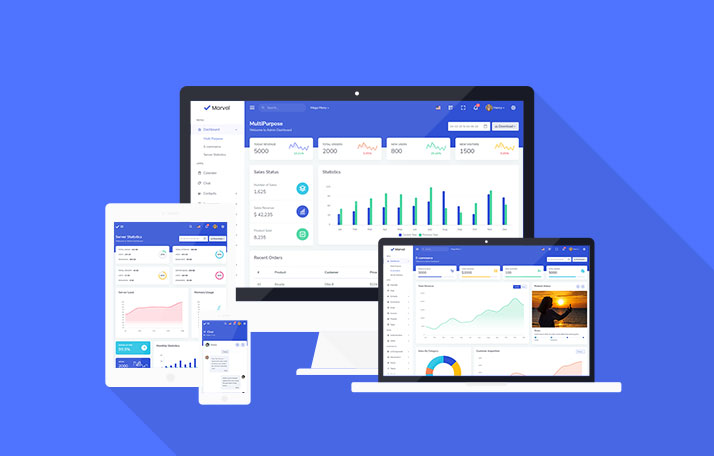
Marvel is an Angular 21 admin dashboard template with 120+ pages, 350+ components, and prebuilt Kanban, invoice, and eCommerce UI, built for SaaS, CRM, and analytics platforms alike.
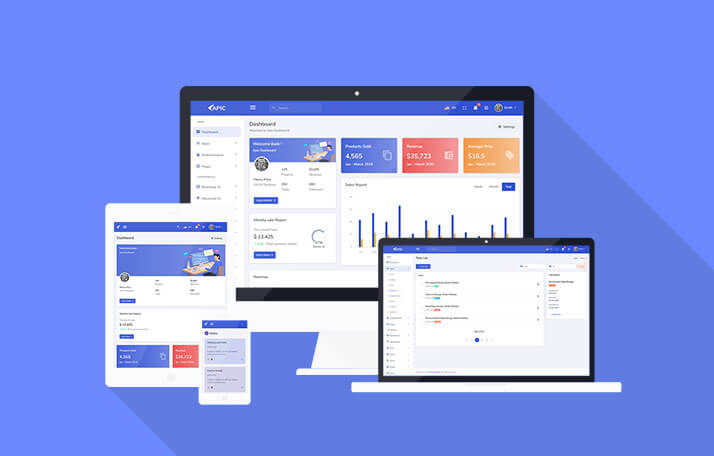
APIC – Angular 22 Admin Dashboard Template for SaaS & CRM
APIC is a multipurpose, creative, and modular Angular 22 admin dashboard template, ideal for sales and analytics dashboards, management panels, and SaaS-based admin interfaces overall.
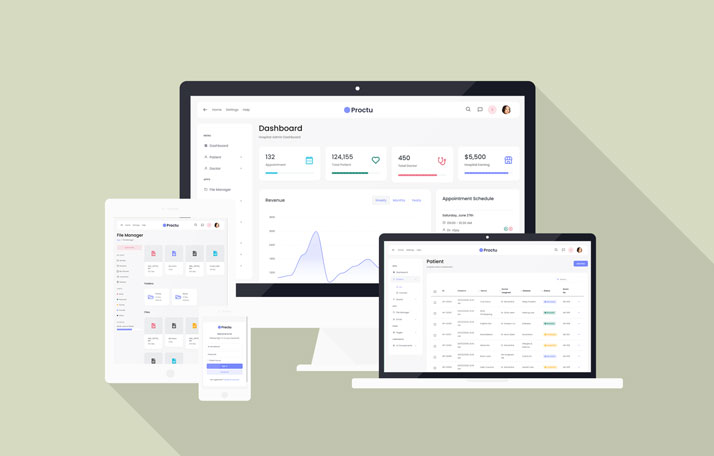
Proctu – Hospital & Medical Angular Admin Template
Proctu is a Bootstrap and Angular 22 admin dashboard panel built for patient and hospital dashboards, doctor medical admin panels, and general healthcare Angular applications today.

PORTO – Angular 22 Website & App Landing Page Template
PORTO is an elegant, modern, multipurpose Angular 22 website template built for app landing pages, startups, portfolios, SaaS products, digital agencies, and single-page sites today.
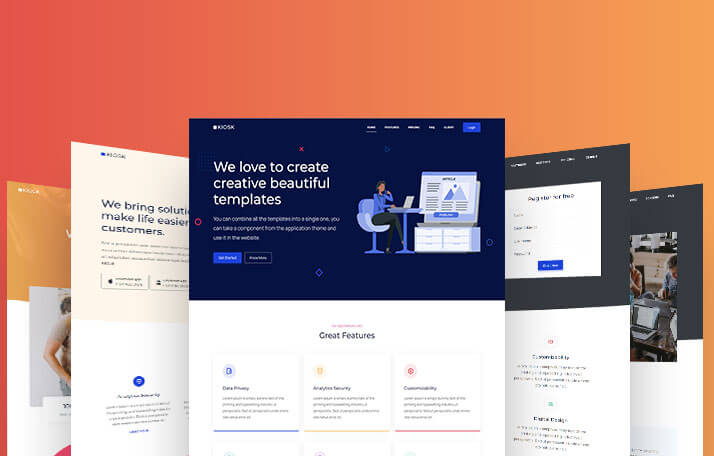
Kiosk – Angular Landing Page Template for SaaS & Agencies
Kiosk is a multipurpose Angular 20 template collection built with Bootstrap 5.3, SCSS, and TypeScript, offering 10+ page variants for startups, SaaS companies, agencies, and portfolios.

ORYO – Angular Templates for SaaS, Agencies & Startups
ORYO is a modern Angular 20 template collection built with TypeScript and SCSS, offering responsive landing pages and portfolio layouts for startups, SaaS teams, agencies, and freelancers.
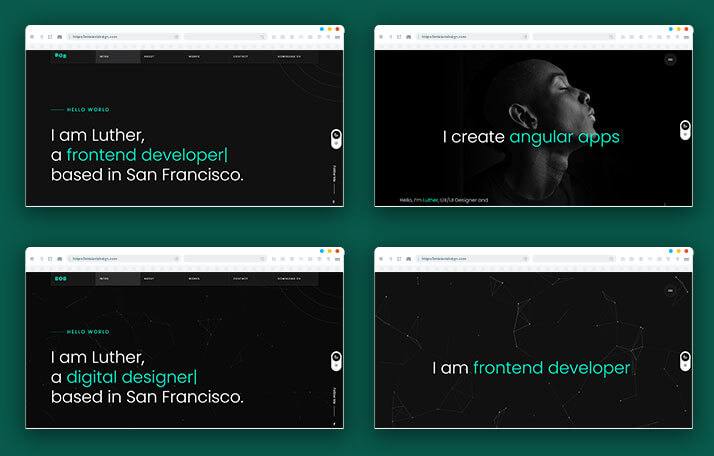
BOB – Angular Portfolio & Resume Website Template
BOB is a creative Angular portfolio and resume website template built for online resumes, simple portfolios, CV websites, and personal branding pages within the Angular ecosystem today.
Use code FIRST30 at checkout — valid across every Bootstrap, Angular, and React
template.