
Adminator – Bootstrap 5 Admin Dashboard & Panel Template
Adminator is a clean, modern Bootstrap 5 admin dashboard template built with SCSS and jQuery, ideal for eCommerce panels, analytics dashboards, and project management admin panels.

See every module before you buy
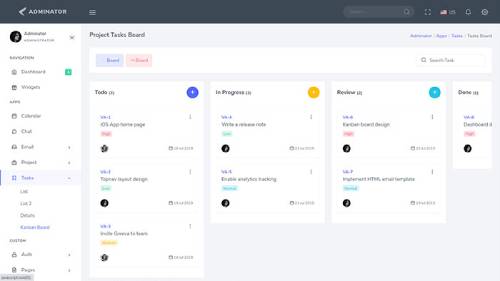
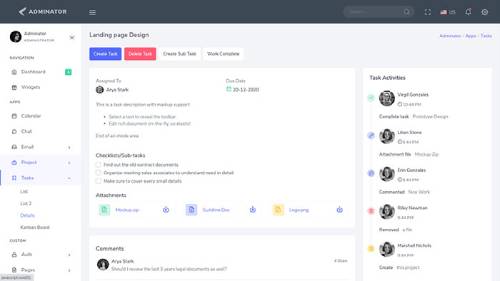
Each screenshot opens the full Adminator – Bootstrap 5 Admin Dashboard & Panel Template live preview, where you can browse the live preview and documentation.






Overview
About Adminator
Most admin dashboard templates fall into one of two camps: either overloaded with decoration that gets in the way of the actual data, or so bare-bones that every project ends up bolting on the same missing pieces by hand, over and over again across different codebases and teams. Adminator – Bootstrap Admin Dashboard and Panel Template sits deliberately in between — a clean, modern, and fully responsive Bootstrap 5 admin dashboard template built with SCSS and jQuery, designed to give developers a genuinely usable starting point rather than either extreme.
Adminator covers the core screens nearly every admin panel needs: a dashboard overview with charts and widgets, data tables, form components, and general UI elements, all built on a consistent Bootstrap 5 foundation that avoids the need to piece components together from several incompatible sources. It's positioned as a dependable, no-nonsense admin template — the kind of starting point that gets a project moving quickly without requiring teams to first strip away unnecessary visual flourish before real development can begin.
The template is well suited for eCommerce admin panels, analytics dashboards, project management tools, and general business management interfaces where clarity and reliability matter more than visual experimentation for its own sake. Adminator's restrained design philosophy means it holds up well across a wide range of use cases without needing heavy customization just to feel appropriate for a given project, saving teams the upfront work of stripping away unnecessary flourish before development can actually begin.
Notifications and Alerts
Toast notifications and alert components come pre-built and styled consistently, giving administrators clear feedback on actions taken within the dashboard without requiring custom notification logic.
Why a Clean, Dependable Admin Template Matters
Admin dashboards are working tools used for hours at a stretch, often by people whose job is extracting specific information quickly rather than admiring the interface. A template that leans too heavily into decoration — excessive color, unnecessary animation, competing visual hierarchy — makes that job measurably harder. Adminator's clean, modern aesthetic is a direct response to that reality, keeping visual noise low so the actual data and controls stay easy to find and use.
This restraint also pays off during customization. A cleanly built base is inherently easier to adapt to a specific brand or product than a heavily styled one, since there are fewer competing visual decisions to override. Teams adopting Adminator for an internal tool, a SaaS backend, or a client project can layer their own branding onto its clean foundation without fighting against an opinionated design baked in from the start.
There's also an onboarding benefit worth mentioning. New team members joining a company and encountering an internal admin tool for the first time tend to ramp up faster on a clean, predictable interface than on one crowded with decorative elements competing for attention alongside the actual functional controls. A minimal dashboard reduces the amount of visual noise a new hire has to mentally filter out before they can start reliably finding the specific tools and data they need for their role, which matters more than it might seem during the first few weeks of onboarding a new hire onto an internal system.
And there's a practical development-cost argument too. Building custom UI components from scratch for every admin screen a project needs is expensive in developer time, and a template that already covers the core screens — dashboard, tables, forms, general UI — removes a substantial chunk of that upfront cost. Teams that start with Adminator spend their initial development budget on the business logic that actually differentiates their product, rather than re-solving layout and component problems that have already been solved well elsewhere.
Icon Library Included
A comprehensive icon set is bundled directly with the template, covering common interface actions and navigation needs without requiring a separate icon library dependency to be added and configured.
Key Features of Adminator
Built on Bootstrap 5, SCSS, and jQuery
A modern, well-supported technical foundation keeps the codebase approachable for developers of any experience level while remaining flexible enough for real customization.
Dashboard Overview with Charts and Widgets
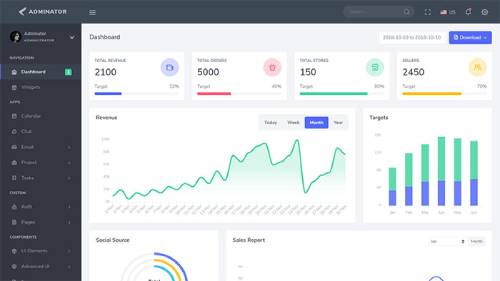
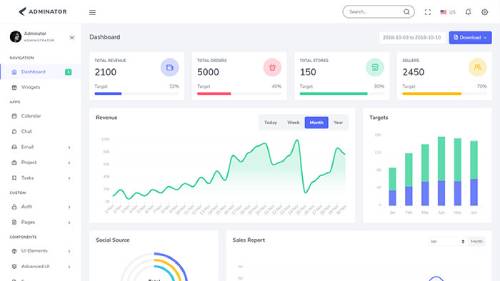
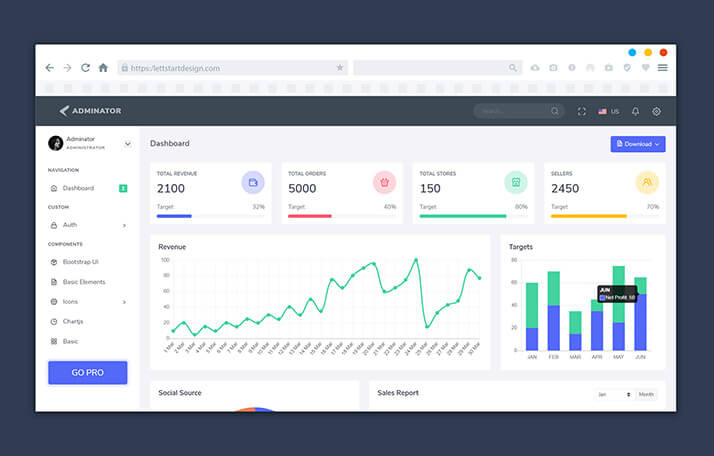
A ready-to-use dashboard homepage includes charts, stat widgets, and summary cards, giving projects a working analytics view from the moment the template is set up and connected to real data sources.
Data Tables
Sortable, searchable data tables are included for presenting larger datasets in a structured, navigable format, a near-universal requirement across virtually every admin dashboard use case imaginable.
Form Components and Validation
A full set of form elements comes with validation logic already wired up and tested, so data entry screens function correctly without custom validation code written from scratch.
General UI Elements
Buttons, cards, alerts, modals, and other common interface components are included and styled consistently throughout, covering the everyday building blocks most admin panels need to function properly.
Fully Responsive Design
Every page adapts cleanly across desktops, tablets, and mobile devices, ensuring the dashboard remains usable regardless of the device an administrator happens to be working from at any given moment.
W3C Validated Code
The markup passes W3C validation, giving the template a clean, standards-compliant foundation that renders consistently and predictably across browsers.
Easy to Customize
The codebase is structured simply and consistently throughout, making it straightforward to adjust colors, layout, and components without wading through disorganized or undocumented markup.
Cross-Browser Compatibility
Adminator has been tested thoroughly across the modern browser landscape, ensuring administrators see a consistent experience regardless of their browser choice.
Consistent Design System
Every component in Adminator shares the same spacing, typography, and color conventions, so the dashboard feels coherent even as different developers add new pages and features over the life of a project.
Detailed Documentation and Support
Setup and customization documentation is included alongside dedicated support, helping teams get oriented with the codebase quickly and troubleshoot any issues that arise during implementation without unnecessary back-and-forth.
Who Should Use Adminator
Adminator is a strong fit for development teams building internal tools where clarity and reliability matter more than visual flash — operations dashboards, inventory systems, and reporting panels used daily by staff who need to extract information quickly rather than be impressed by decoration. In these environments, a dashboard that looks visually striking in a demo but tires the eyes after an hour of real use is actually a liability, and Adminator's restrained design is built specifically to hold up under that kind of sustained daily use rather than just a first impression.
SaaS companies building a straightforward product admin or settings area benefit from Adminator's calm, unobtrusive design language, which tends to age better than more trend-driven, heavily styled alternatives. A settings or account management area rarely benefits from bold visual statements; it benefits from being predictable, fast to scan, and easy to navigate, which is precisely what a clean, well-organized dashboard delivers.
eCommerce businesses can use Adminator as a foundation for order and inventory management panels, where clear data tables and dependable form components matter more than decorative flourish. Product catalogs, order histories, and customer records all benefit from Adminator's straightforward table and form components, which prioritize scanability over visual complexity.
Agencies building client back-office systems get a dependable, easily-rebranded starting point that accepts custom branding cleanly without requiring extensive rework across multiple concurrent client engagements. And teams early in a product's life who need a functional admin panel fast, before investing in a fully custom internal tool, can rely on Adminator's core screens to cover the majority of what's needed for launch, filling in only the genuinely custom pieces themselves as the product matures.
Building a Long-Lasting Admin Interface with Adminator
Because Adminator is built on SCSS with a structured variable system, adjusting the dashboard's visual identity typically comes down to editing a handful of core files rather than combing through individual pages one by one. That matters for teams that expect their admin panel to grow well beyond its initial launch scope, since new pages and features added later inherit the same clean design system automatically, keeping the whole interface visually consistent even as the project scales up over time and more developers contribute to it.
Adminator's restraint also means it tends to require less frequent redesign than more visually aggressive templates. A dashboard built around timeless, functional design principles rather than momentary visual trends stays credible for longer, saving teams from the disruptive cost of periodically overhauling an admin panel just to keep it looking current. That durability compounds over the life of a product, since every redesign cycle a team avoids is engineering time freed up for features that actually move the underlying product forward instead.
Conclusion
Adminator brings a genuinely dependable option to Bootstrap admin theming: a clean dashboard overview, working data tables and forms, a full set of general UI components, and a modern, fully responsive Bootstrap 5 and SCSS foundation. For teams that want an admin panel built to disappear into the background and let the actual data and workflows take center stage, Adminator offers a solid, no-nonsense starting point that holds up well across eCommerce, analytics, and project management use cases alike.
What, at the end of the day, distinguishes Adminator from more visually aggressive alternatives is its bet that a dashboard's real job is to get out of the way and let the underlying data and workflows do the talking. For teams that will be staring at these screens every working day, that bet consistently pays off — not through a flashier demo, but through a tool that stays comfortable and dependable to use long after the initial launch excitement has worn off, without unnecessary visual clutter making the actual work harder than it needs to be.
Related templates
The modules, laid out like the product itself
All 9 highlights, grouped the way they appear in Adminator – Bootstrap 5 Admin Dashboard & Panel Template's own sidebar.
Built on Bootstrap 5, SCSS and jQuery
Dashboard Overview with Charts and Widgets
Data Tables
Form Components and Validation
General UI Elements
Fully Responsive Design
W3C Validated Code
Easy to Customize
Cross Browser Compatibility
What buyers are saying
Great admin template overall, very satisfied!
Before you get started
Adminator is a clean, modern Bootstrap 5 admin dashboard template built for eCommerce panels, analytics dashboards, and project management interfaces.
Yes, Adminator includes a dashboard overview with charts, stat widgets, and summary cards.
Yes, Adminator works well as a foundation for order and inventory management panels.
Yes, its SCSS-based structure makes it straightforward to adjust colors, typography, and layout across the entire dashboard.
Yes, Adminator is fully responsive and tested across modern browsers and devices.
Yes, Adminator Free is also available as a lighter starting point for early-stage projects.
Adminator – Bootstrap 5 Admin Dashboard & Panel Template in other frameworks
Related templates

Letstart – Minimal Bootstrap 5 Admin Dashboard Template
Letstart is a minimal, modern Bootstrap 5.3 admin dashboard template with 70+ pages and 100+ components, built with Sass and jQuery for eCommerce panels and HTML back-end dashboards.

Marvel – Bootstrap Admin Dashboard Template for SaaS & CRM
Marvel is a Bootstrap 5.3 admin dashboard template with 135+ pages, 350+ components, and prebuilt Kanban, invoice, and eCommerce UI, built for SaaS, CRM, and analytics platforms alike.

Adminox – Angular 22 Admin Dashboard with 70+ Components
Adminox is a modern Angular 22 admin dashboard starter with 40+ pages, 6 layouts, 3 chart libraries, JWT auth, and NgRx Signals, ready for SaaS, CRM, and analytics projects from day one.

Marvel – Angular Admin Dashboard Template for SaaS & CRM
Marvel is an Angular 21 admin dashboard template with 120+ pages, 350+ components, and prebuilt Kanban, invoice, and eCommerce UI, built for SaaS, CRM, and analytics platforms alike.

Proctu – Hospital & Medical Bootstrap Admin Template
Proctu is a Bootstrap framework-based admin dashboard panel built for patient and hospital dashboards, doctor medical admin panels, and general healthcare HTML dashboard applications.

APIC – Bootstrap Admin Dashboard for SaaS & Analytics
APIC is a responsive, creative, and modular Bootstrap admin dashboard template, ideal for sales and analytics dashboards, management panels, and general SaaS-based admin interfaces.

APIC – Angular 22 Admin Dashboard Template for SaaS & CRM
APIC is a multipurpose, creative, and modular Angular 22 admin dashboard template, ideal for sales and analytics dashboards, management panels, and SaaS-based admin interfaces overall.

Proctu – Hospital & Medical React Next.js Admin Template
Proctu is a React Next.js framework-based admin dashboard built for patient and hospital dashboards, doctor medical admin panels, and general healthcare React dashboard applications.
Use code FIRST30 at checkout — valid across every Bootstrap, Angular, and React
template.